Trip Recap With a Map prompt
A map that flies from home to the destination, then your best clips cut to music.
- Pipeline
- Just a prompt
- Style
- Atlas
- Add first
- Your clips of the trip.
- You get
- A finished MP4 in 9:16, or in 1:1, 4:5 or 16:9 if you pick it.
Your prompt
A [LENGTH IN SECONDS] second recap of my trip to [DESTINATION]. Open with 3 seconds of a real map travelling from [HOME CITY] to the destination, both names pinned. Then join the best of the clips I added ([WHAT THE CLIPS SHOW]) and cut them to music you compose: [MOOD OF THE MUSIC]. Put this title over the first clip: [TITLE]. No voice. End on the best wide shot with: [LAST LINE].
Copy it, pick Just a prompt on the New reel screen and paste it in the request box of the Easy Reels app.
Example
The prompt, filled in
A 20 second recap of my trip to Lisbon, Portugal. Open with 3 seconds of a real map travelling from São Paulo, Brazil to the destination, both names pinned. Then join the best of the clips I added (streets, trams and the river in Lisbon) and cut them to music you compose: upbeat and sunny. Put this title over the first clip: Four days in Lisbon. No voice. End on the best wide shot with: Save this for your trip.
The files in this example are invented. Describe your own by what they show.
Tips
To get a better reel
- Add the clips to the request. Short clips of 5 to 20 seconds each are easiest to cut.
- Say what the clips show: the director looks at every file before it cuts.
- Not what you wanted? Press Recreate on the reel: the request opens filled in, you change it and generate again.
More prompts
Try one of these next
-
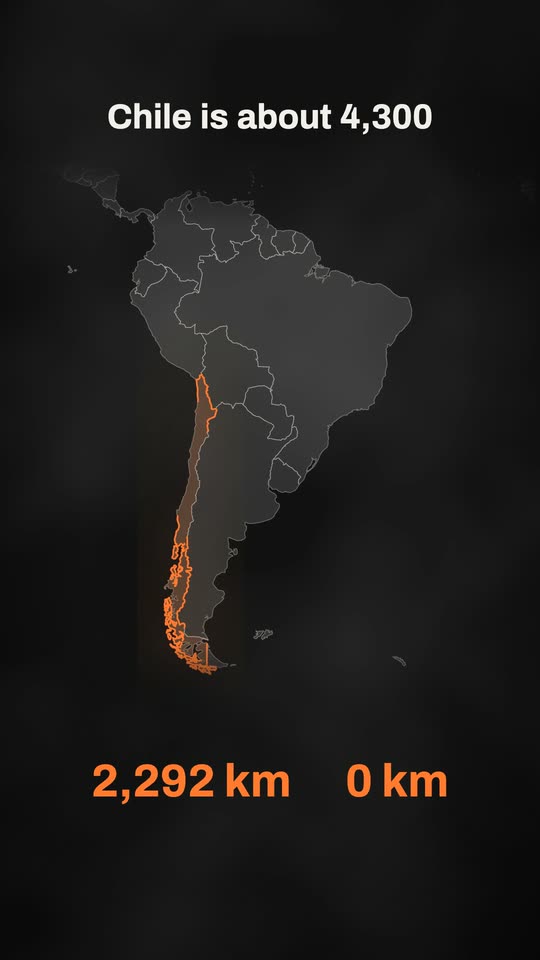 Atlas style
Country on a Map
A real map travels to one country, lights it up and counts its numbers. 7 blanks to fill -
Atlas style
Zoom Into a City
A real map travels from the whole world down to one city, then tells three facts. 6 blanks to fill -
Atlas style
From A to B on a Map
Two pins on a real map, a route that travels between them and the distance counting. 6 blanks to fill
One message. The whole reel.
Paste a prompt in Easy Reels and the director writes the script, animates the scenes or edits your footage, adds the voice, music and sound effects, and hands you the finished video.
See the desktop appA reel studio for Mac and Windows. $39 once, with a 7-day refund.