How It Was Built, as a Blueprint prompt
A structure going up stage by stage as a technical drawing with real dimensions.
- Pipeline
- Blueprint
- Style
- Blueprint
- Add first
- Nothing. It is made from the request.
- You get
- A finished MP4 in 9:16, or in 1:1, 4:5 or 16:9 if you pick it.
Your prompt
Show how [STRUCTURE] was built, as a technical drawing that moves, in about [LENGTH IN SECONDS] seconds. In order: [STAGE 1]. [STAGE 2]. [STAGE 3]. [STAGE 4]. Dimension lines and labels for these figures only: [FIGURE 1]. [FIGURE 2]. Wipe upward when the work goes higher, cut straight otherwise. End on the finished structure with: [LAST LINE].
Copy it, pick Blueprint on the New reel screen and paste it in the request box of the Easy Reels app.
Example
The prompt, filled in
Show how the Brooklyn Bridge was built, as a technical drawing that moves, in about 40 seconds. In order: 1870: two caissons are sunk into the East River for the towers. 1876: the first wire crosses between the towers. Four main cables are spun in place, wire by wire. 1883: the deck hangs from the cables and the bridge opens. Dimension lines and labels for these figures only: Main span: 486 metres. Towers: 84 metres above the water. Wipe upward when the work goes higher, cut straight otherwise. End on the finished structure with: Thirteen years of work.
The facts in this example were checked when it was written. Check your own before you post: the director tells what you give it.
Tips
To get a better reel
- Only edges are drawn in this look, so structures made of beams, cables and arches suit it.
- Give the figures with their units. They are drawn as dimension lines, exactly as written.
- Not what you wanted? Press Recreate on the reel: the request opens filled in, you change it and generate again.
More prompts
Try one of these next
-
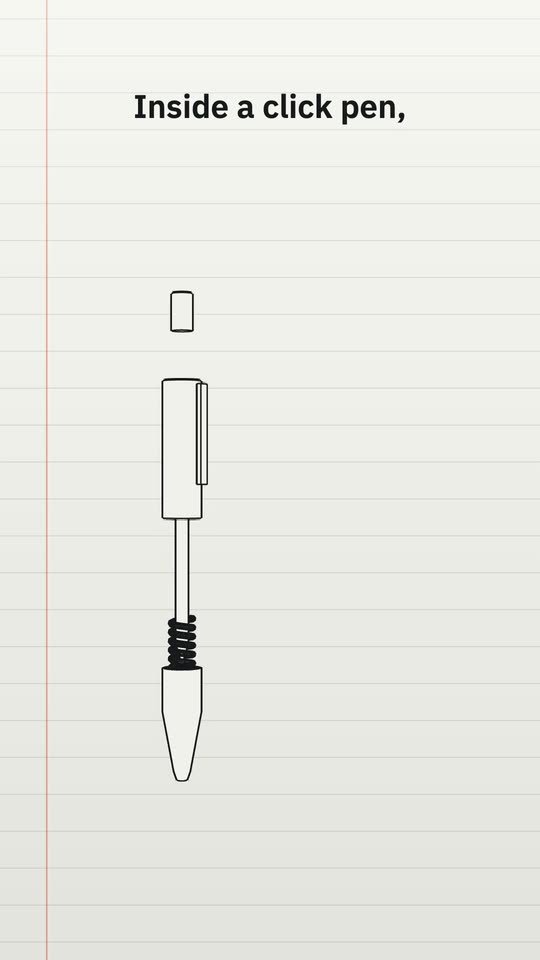 Exploded view style
Exploded View of an Object
An everyday object drawn like a manual, its parts pulled apart and numbered. 7 blanks to fill -
Thread style
How a Signal Travels
Fine white lines that draw themselves and a point of light that travels them, stop by stop. 8 blanks to fill -
Screen style
A Process Shown as an App
A process explained as an invented app: a checklist that ticks itself and a cursor that clicks. 6 blanks to fill
One message. The whole reel.
Paste a prompt in Easy Reels and the director writes the script, animates the scenes or edits your footage, adds the voice, music and sound effects, and hands you the finished video.
See the desktop appA reel studio for Mac and Windows. $39 once, with a 7-day refund.